See Skedron in Action
Walk through a typical day managing your spa — from morning schedule to client messages.
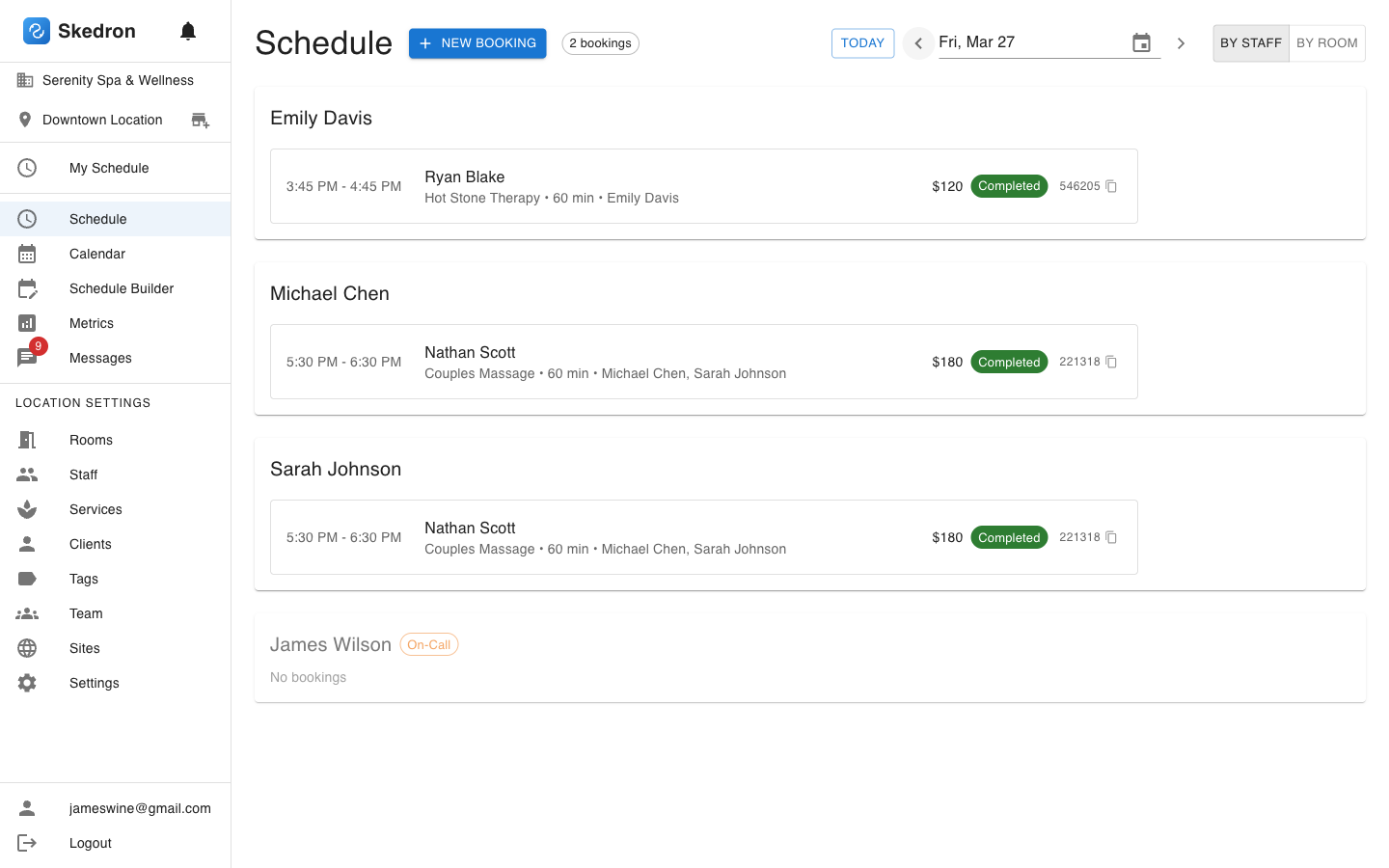
Start your day with the schedule view
See every booking at a glance, organized by therapist. Know who's coming in, what service they booked, and which room they're in — all on one screen.
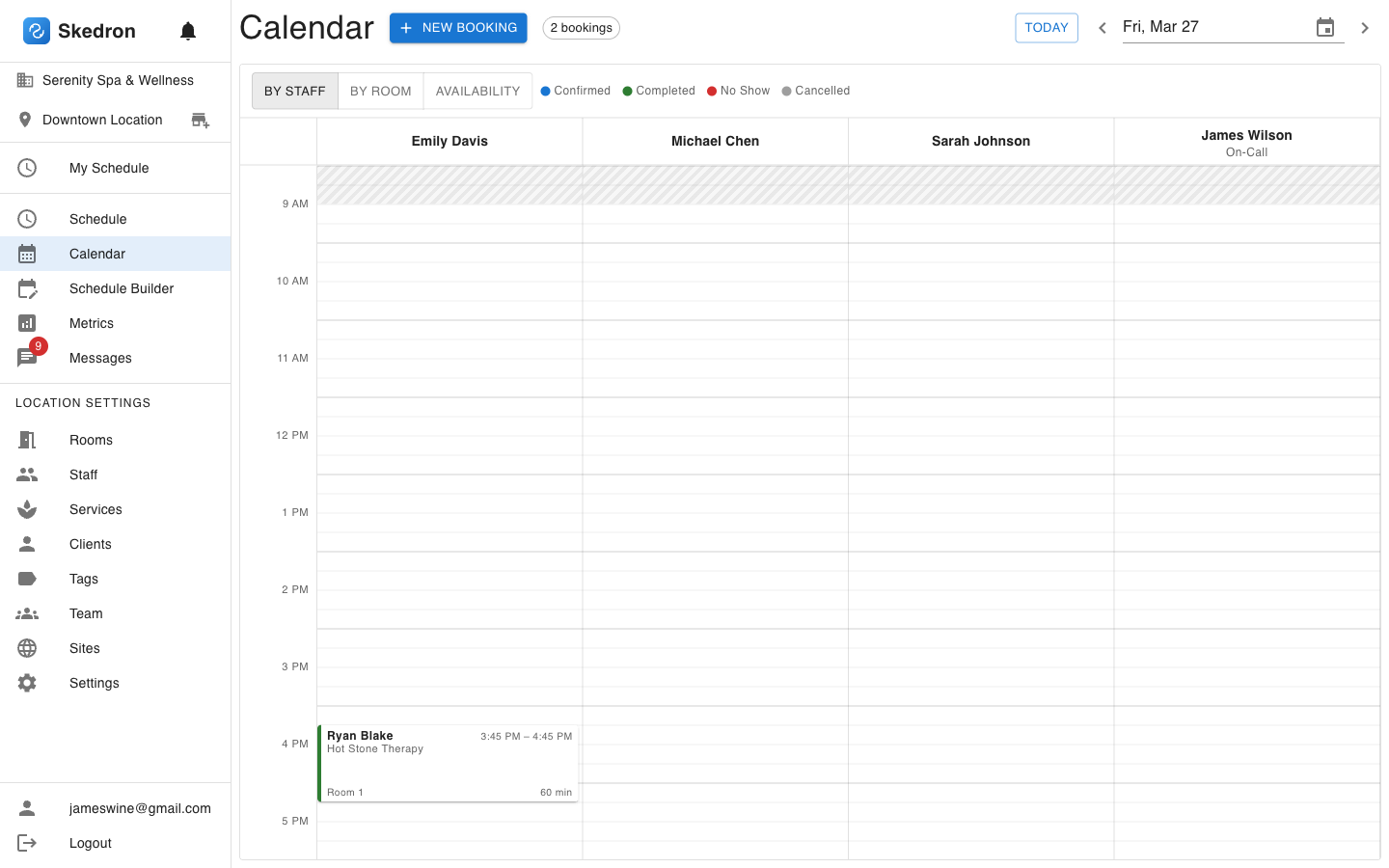
Visualize your day on the calendar
Switch to the calendar view to see time blocks across all therapists. Spot gaps, avoid double-bookings, and drag to reschedule — it's the view your front desk will live in.
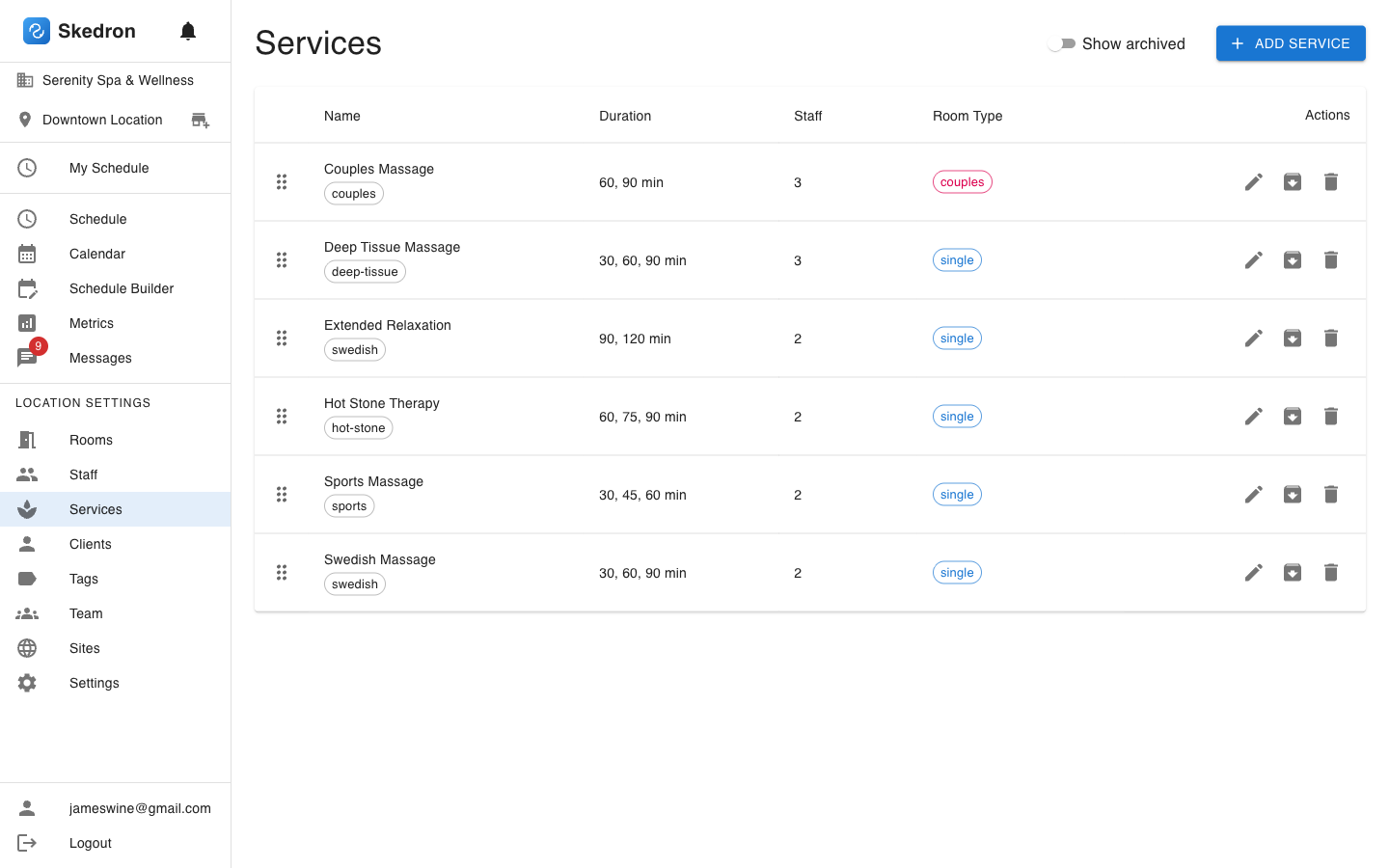
Manage your service menu
Set up services with multiple duration options, skill tag requirements, and room types. Drag to reorder. The booking widget automatically reflects your menu.
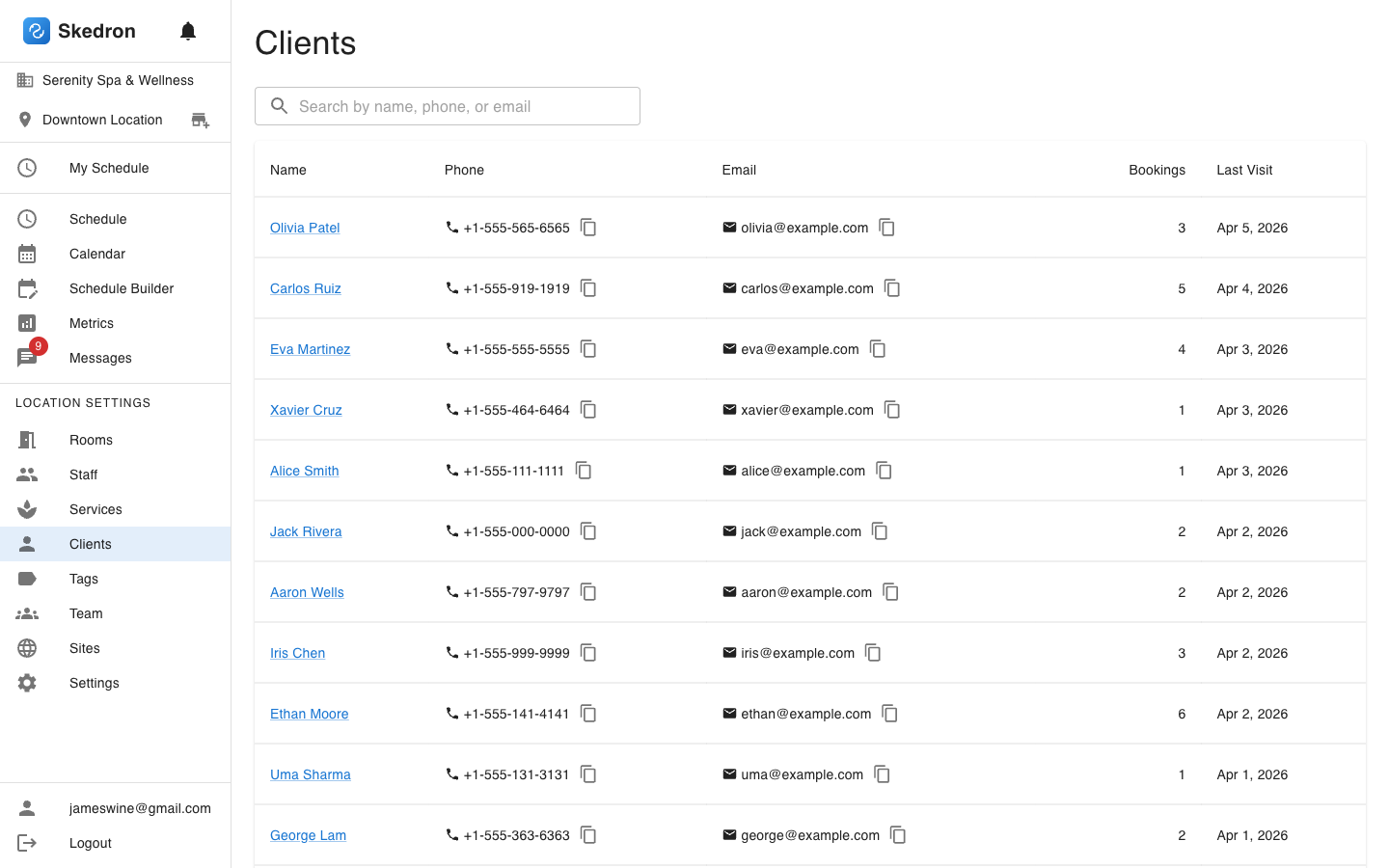
Know your clients
Every client has a profile with visit history, contact info, and booking count. Search by name, phone, or email. One click to see their full history.
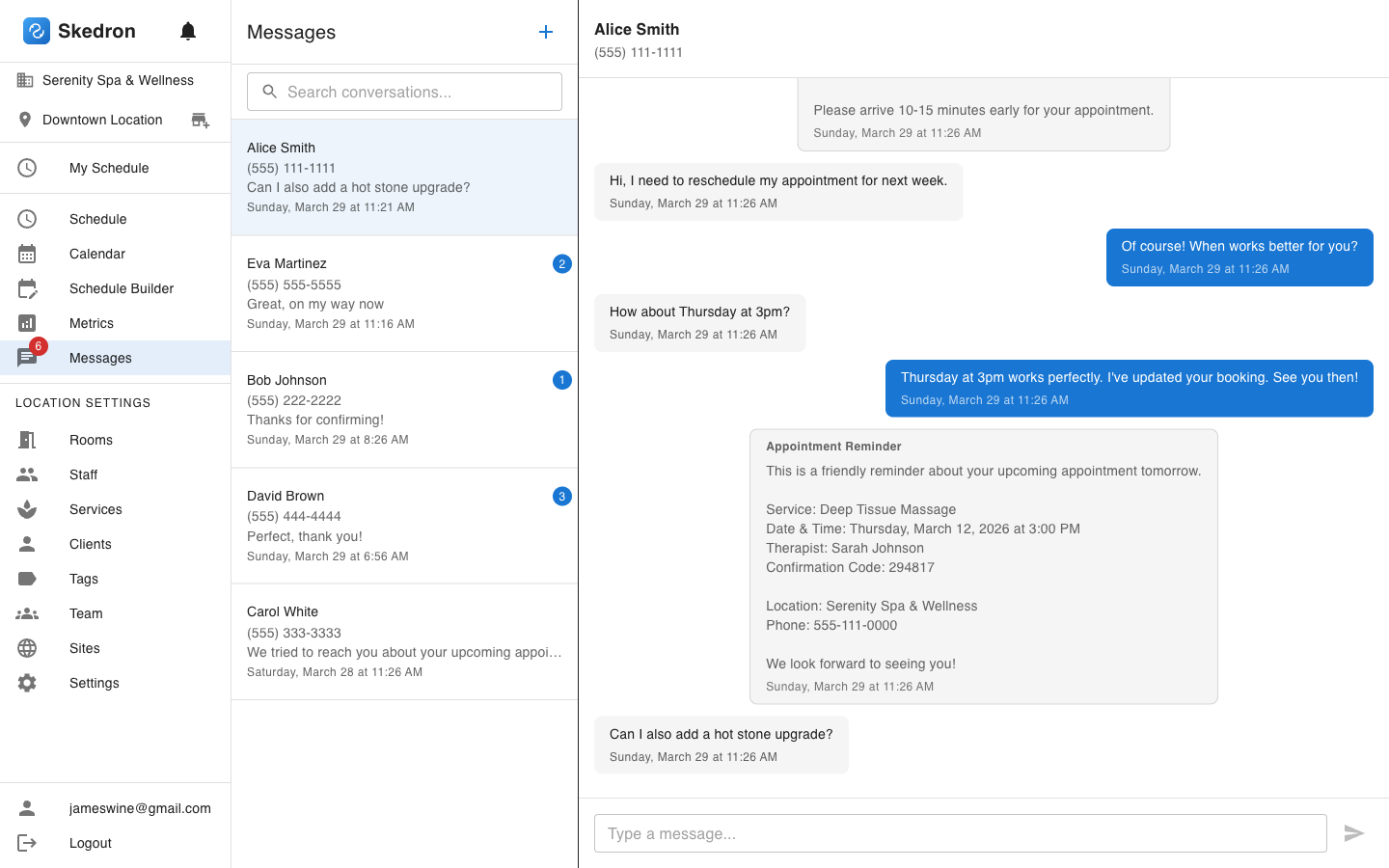
Chat with clients via SMS
Two-way text messaging built right in. Send appointment reminders automatically, and handle reschedule requests without leaving Skedron.
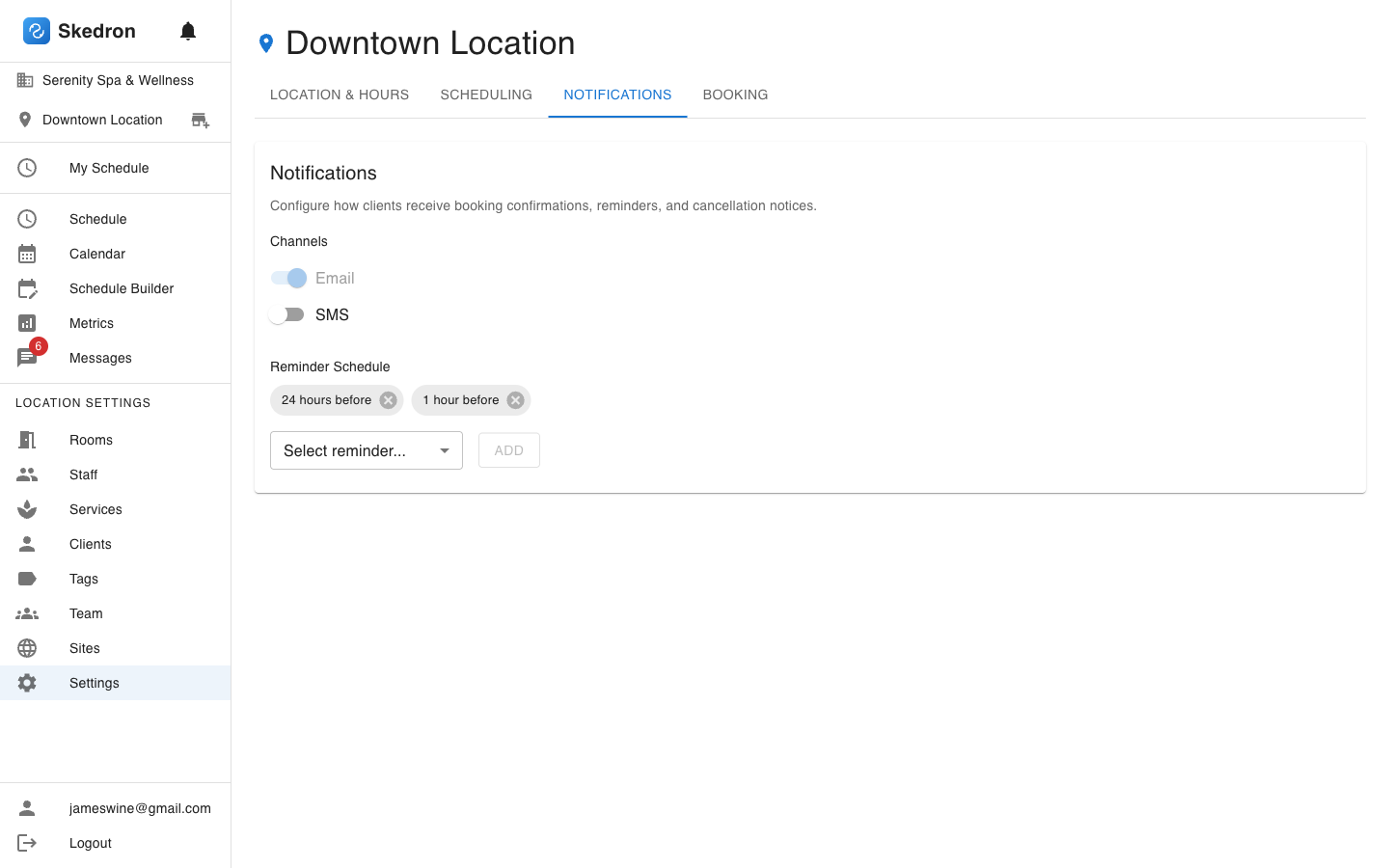
Configure automated reminders
Set up email and SMS reminders at the intervals you want — 24 hours before, 1 hour before, or both. Reduce no-shows without lifting a finger.
Ready to try it yourself?
Set up your spa in minutes. No credit card required.
Start Free Trial45-day free trial — no credit card required